Configuring National ID masking policies
National ID masking controls whether a role sees a worker’s full National ID or a masked version of it. You grant the masked value by giving a role read access to the National ID (masked) field instead of National ID.
The masked value shows the last five letters or digits and replaces the rest with asterisks, keeping separators such as dashes. For example, a Canadian SIN appears as **88666. If the value contains five or fewer letters or digits, all of them are masked. The masked format is fixed and is not configured per policy.
Steps
To configure National ID masking, perform the following steps:
-
Sign in to Professional.
-
In the left navigation, go to .
-
Create a Deny policy for the users who must not view or update the National ID:
-
Enter a Title and an ID.
-
For Policy Type, select Deny.
-
For Actions, select Read and Update.
-
Under Policy Details, for Actor Type, select User, and for Resource Group, select Worker.
-
On the Actor tab, set User Type to General User.
-
On the Relationship tab, select the relationships you deny, for example Manager or Accountable Person.
-
On the Resource tab, move National ID from Available fields to Chosen fields.
-
Select Save.
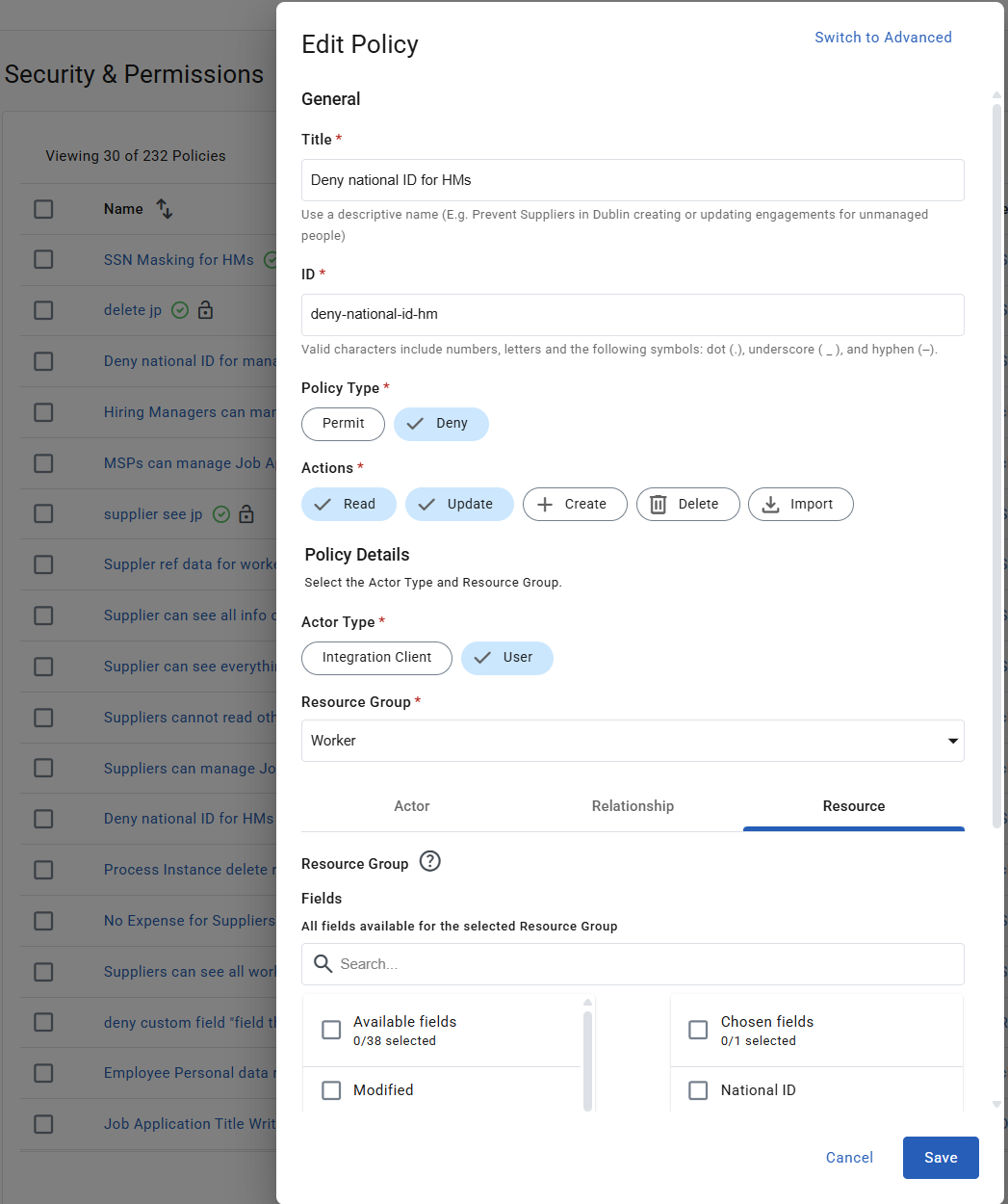 Figure 1. Deny policy with National ID chosen on the Resource tab
-
-
Create a Permit policy for the users who view the masked National ID:
-
Enter a Title and an ID.
-
For Policy Type, select Permit.
-
For Actions, select Read.
-
Under Policy Details, for Actor Type, select User, and for Resource Group, select Worker.
-
On the Actor tab, set User Type to General User.
-
On the Relationship tab, select the relationships you permit, for example Manager or Accountable Person.
-
On the Resource tab, move National ID (masked) from Available fields to Chosen fields.
-
Select Save.
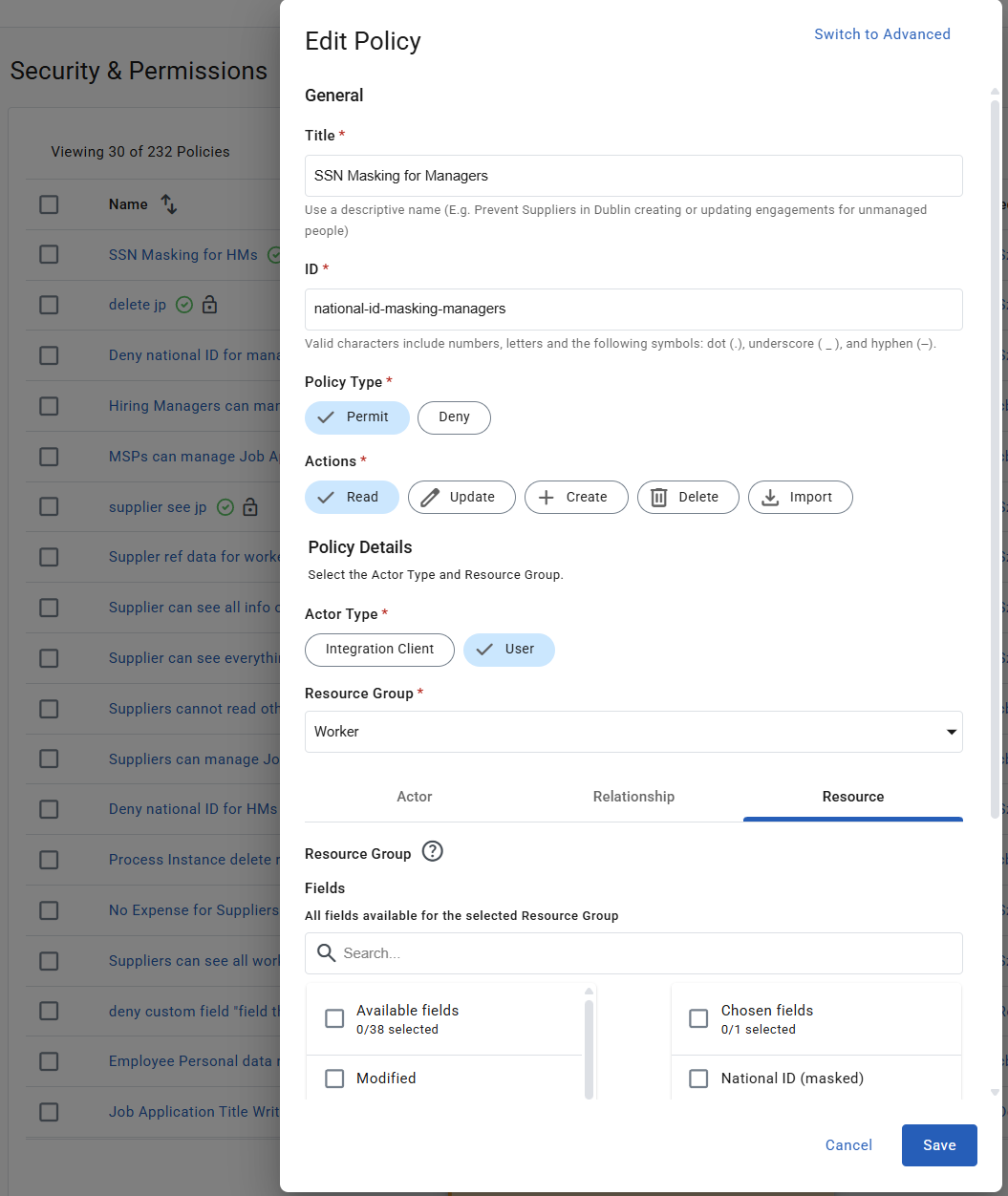 Figure 2. Permit policy with National ID (masked) chosen on the Resource tab
-
Example
The following configuration gives each role a different level of access:
-
Manager (Accountable Person): sees only the last five letters or digits of the National ID.
-
PMO Admin: sees the full National ID and edits the value.
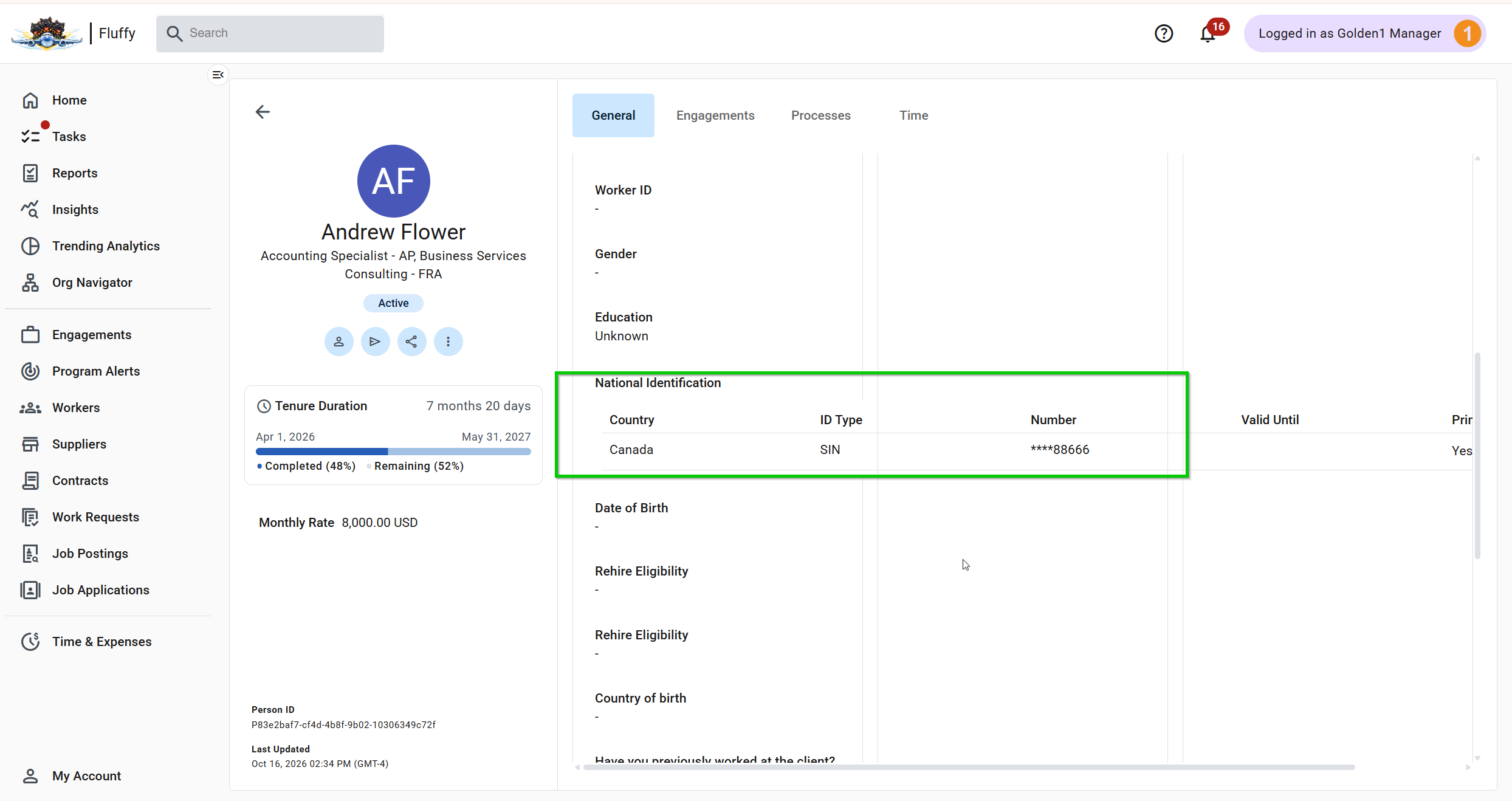
The roles and levels of access in this example are illustrative. Configure the policies according to your organization’s data privacy requirements.